Incheon Airport eSIM Guide 2026 (Activation & Setup Tips)
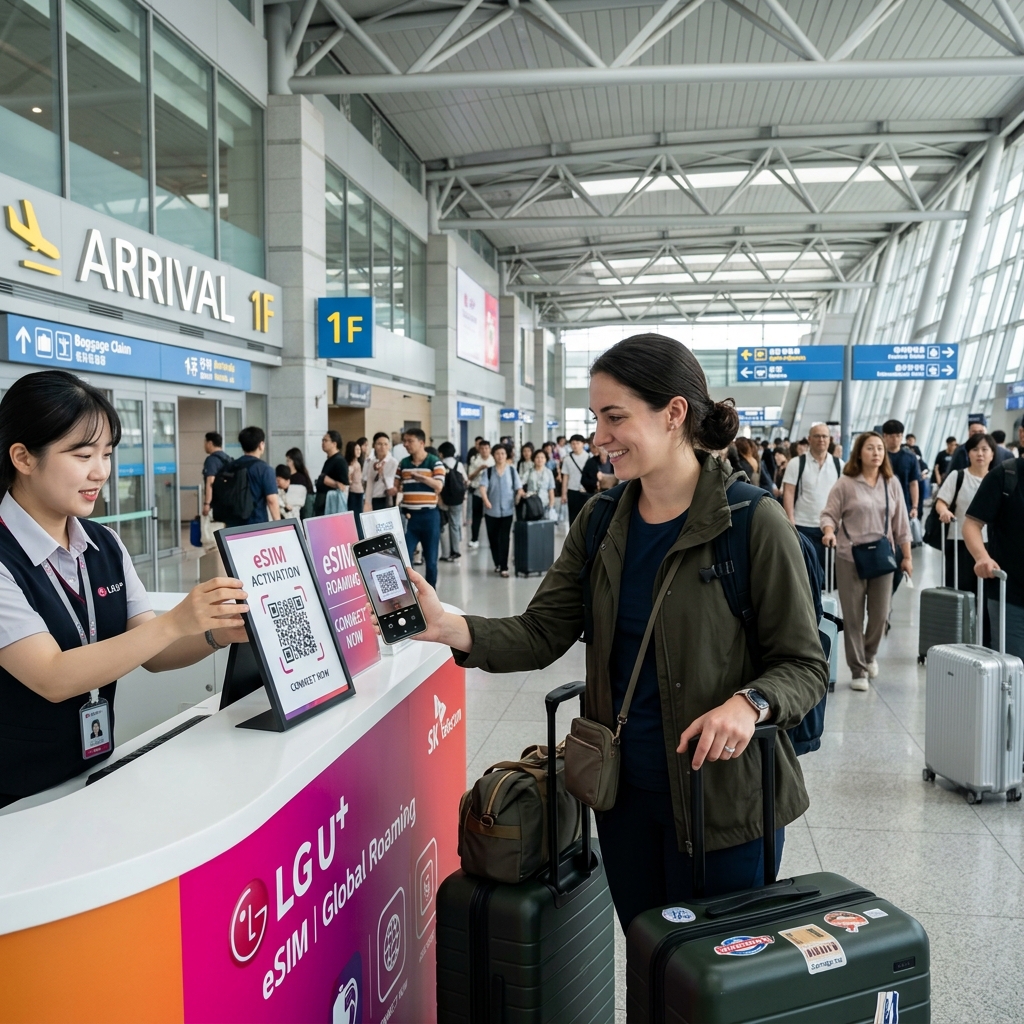
Securing instant mobile connectivity upon landing at Incheon International Airport (ICN) is essential for accessing Naver Map navigation, booking taxis, and verifying transit schedules. While physical SIM counters in Terminal 1 and Terminal 2 often experience long lines during peak international arrival hours, digital eSIM profiles can be installed before departure for instant network registration upon arrival. Explore complete connectivity guidelines on our eSIM Guide Hub.
Key Advantages of Digital eSIMs over Physical SIMs
Selecting an eSIM profile offers distinct operational benefits for international travelers arriving in South Korea:
- Zero Counter Waiting Time: Receive your QR code via email prior to flying and avoid waiting in terminal pickup queues.
- Keep Primary SIM Active: Retain your home primary phone number for bank multi-factor verification SMS while using Korean mobile data.
- Airport Transit Integration: Coordinate onwards transit direct with our Incheon Airport Guide Hub resources.
| Korea Connectivity Option | 5-Day / 10-Day Official Rate | 010 Korean Voice/SMS Number | Incheon Airport Setup Time |
|---|---|---|---|
| Pre-Booked QR eSIM (SKT/KT/LGU+) | ₩14,500 – ₩27,500 ($10.50 – $20) | Included on Voice+Data eSIM plans (after passport check) | 0 mins (Instant activation on landing Wi-Fi) |
| Physical USIM Card (T1/T2 Counter) | ₩25,000 – ₩38,500 ($18 – $28) | Included (Immediate 010 local restaurant/taxi verification) | 15–30 mins (Arrival Hall counter queue, 06:00–22:00) |
| Pocket Wi-Fi Egg Rental | ₩4,400/day + Deposit | None (Data only; requires charging & return before flight) | 15–25 mins (Pickup & mandatory return at terminal) |
📶 Instant Airport QR eSIM & Transit Bundle Check:
Step-by-Step Installation & Activation Protocol
Follow these steps to prevent activation errors upon reaching Incheon Airport gates:
- Pre-Flight (At Home / Departure Gate): Scan the digital QR code using your phone's cellular menu while connected to home Wi-Fi. Label the profile 'Korea Data'.
- Post-Landing (Incheon Airport): Switch mobile data usage to the 'Korea Data' profile and turn Data Roaming ON.
Troubleshooting Common Installation Errors
If the network shows 'No Service' upon landing, toggle Airplane Mode for 10 seconds or restart your handset to trigger local SK Telecom, KT, or LG U+ network registration.
📌 Official Travel & Connectivity Hub Resources (Article 56 Standard):
- Seoul Station Hotels
- Airport Hotels Hub
- WOWPASS Guide Hub
- Myeongdong Hotels Hub
Field Troubleshooting: Fixing 'No Service' & Checking Whether You Need a 010 Voice Number
Before buying or activating your Korea eSIM at Incheon Airport, verify two technical requirements that determine whether your phone connects immediately and works at local restaurant waiting kiosks:
- 1. Data-Only Roaming eSIM vs Local 010 Voice/SMS eSIM (KT / SKT / LG U+): Cheaper third-party roaming eSIMs route traffic through Hong Kong or Singapore servers and do not include a Korean 010-XXXX-XXXX phone number. If you plan to use restaurant tablet waiting queues (CatchTable / NowWaiting) in Seongsu or Hongdae, book a direct Korean carrier eSIM (SK Telecom, KT Olleh, or LG U+) on Klook, which includes a real 010 local number for incoming calls and SMS verification after you present your passport at the airport counter or complete online passport verification.
- 2. Instant Fix for 'Connected with No Internet' on Arrival: Go to Settings ➔ Cellular / Mobile Data ➔ Select your Korea eSIM line and turn Data Roaming ON. Even on domestic Korean carrier eSIMs, the phone's OS treats the secondary eSIM profile as roaming until Data Roaming is enabled.
Related Korea Field Guides & Official Fare Comparisons
Continue planning your arrival, hotel transfers, and on-the-ground logistics with these verified guides:
- Incheon Airport to Seoul ground transit guide
- Korea airport taxi vs Uber vs Kakao T guide
- Incheon Airport eSIM vs SIM vs Wi-Fi Egg cost database
- Incheon Airport SIM card pickup counter queue database
Official Sources & Data References
- Incheon International Airport Corporation — Official Roaming, SIM Card & eSIM Telecom Counters Directory (T1 & T2) (https://www.airport.kr/ap_en/1521/subview.do, Verified: 2026-11-11)
- Official Korea Tourism Organization (VisitKorea) — Mobile Internet in Korea: eSIM, USIM & Portable Wi-Fi Router Guide (https://english.visitkorea.or.kr/svc/contents/infoHtmlView.do?vcontsId=140666, Verified: 2026-11-11)