Before You Fly to Korea: 7 Phone Settings to Check (2026)
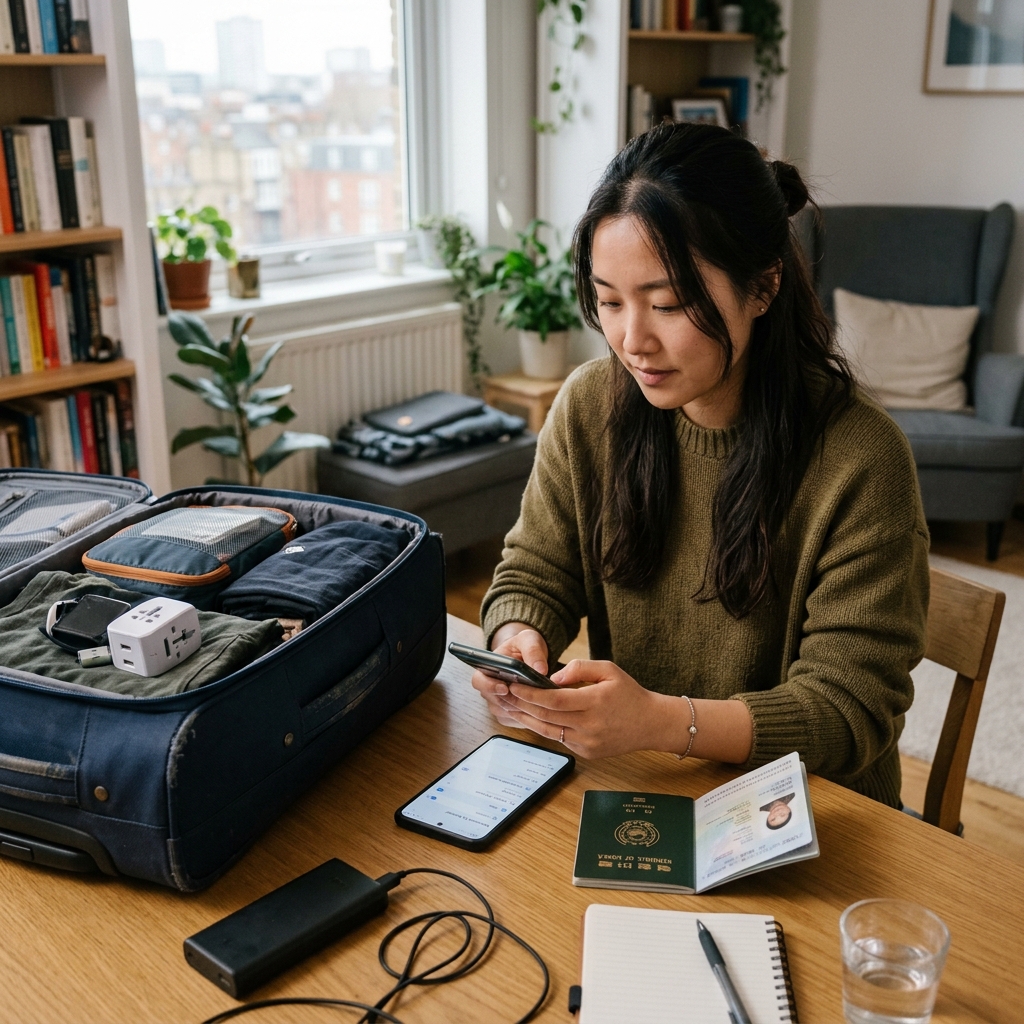
Before You Fly to Korea: 7 Phone Settings to Check for a Smoother Arrival
1. Why Phone Preparation Must Happen Before Boarding
Touching down at Incheon International Airport without properly configuring your smartphone creates immediate arrival friction. From presenting digital customs declarations and locating accommodation reservation addresses to hailing Kakao T taxis and navigating train platforms, your mobile handset is your primary operational guide. Attempting to troubleshoot carrier locks, download multi-gigabyte navigation files, or contact mobile support using weak terminal Wi-Fi after a 14-hour flight causes unnecessary stress. Verifying seven critical smartphone settings 24 hours prior to departure guarantees instantaneous connectivity and smooth navigation upon landing. For an analytical breakdown of roaming fees, eSIM pricing, and offline risk factors, explore our Korea Travel Phone Setup: Cost & Risk Intelligence Guide.
2. The 7 Pre-Flight Phone Checklist Items
- Verify Carrier Network Unlock Status: Contact your domestic carrier (e.g., AT&T, Verizon, T-Mobile, Vodafone) or check your device settings (iOS: Settings ➔ General ➔ About ➔ Carrier Lock) to confirm your handset displays "No SIM restrictions." Carrier-locked phones will physically reject foreign tourist SIM cards and digital eSIM profiles.
- Install Digital eSIM Profile on Stable Wi-Fi: If using a prepaid travel eSIM, scan the provided QR code while connected to your home or office Wi-Fi the day before departure. Label the new profile "Korea Travel" so it is ready for activation upon touchdown.
- Disable "Allow Cellular Data Switching": In your cellular data settings, turn off automatic data switching. This prevents your phone from silently routing background data through your expensive domestic SIM line if local Korean signal coverage momentarily dips.
- Toggle Domestic Line Data Roaming OFF: Keep your domestic physical SIM active for voice and incoming two-factor authentication (2FA) bank verification texts, but ensure Data Roaming is turned OFF on your home line to avoid unexpected $10/day carrier roaming passes.
- Download Korea-Specific Navigation Apps: Due to local mapping regulations, Google Maps has limited walking and driving route functionality in South Korea. Download Naver Map or KakaoMap and set the app display language to English before flying.
- Download Papago Translation App & Offline Language Packs: Download the Papago translation application and save the English-to-Korean offline language dictionary directly to device storage. This allows instant camera and text translation even without active cellular reception.
- Store Critical Documents in Offline Apple Wallet / Google Keep: Save digital copies of your accommodation address in both English and Korean script (Hangeul), arrival transport instructions, and emergency contact details offline to avoid dependency on cloud servers during initial arrival.
3. Dual-SIM Configuration Framework
| Cellular Line | Voice & SMS Setting | Cellular Data Setting | Data Roaming Toggle |
|---|---|---|---|
| Primary Domestic Line | ON (Receives bank 2FA texts) | OFF | OFF (Prevents home carrier roaming fees) |
| Korea eSIM / Secondary Line | OFF (Data only profile) | PRIMARY DATA | ON (Activates local Korean data towers) |
4. Troubleshooting Common Arrival Handshake Glitches
If your device displays "No Service" after landing, toggle Airplane Mode ON for 10 seconds and turn it OFF to force the cellular antenna to register on local network towers (SK Telecom or KT). If connectivity fails to initialize, open Cellular Settings ➔ Network Selection, disable "Automatic", and manually select SK Telecom or KT.
5. Summary & Decision Advice
Verifying these technical settings while still on domestic Wi-Fi eliminates arrival stress. Once your aircraft reaches the gate in Incheon, simply switch cellular data to your travel profile, enable data roaming on that line, and access instant 5G connectivity for your Seoul journey.
{TRAVEL_ESSENTIALS_BOX}{AGODA_CTA}{KLOOK_CTA}{COMMENT_VAULT}Recommended Mobile Preparation & Transit Guides
- Korea Travel Phone Setup: eSIM, Roaming and Offline Cost Considerations
- What to Pack for a Long Korea Travel Day: Power, Charging and Airport Essentials
- How to Get From Incheon Airport to Seoul After Midnight
- Seoul Station Transit & Payment Analysis
- WOWPASS All-in-One Payment & Transit Card Setup
- Incheon Airport Express & Bus Cost Database
Travel Essentials
Verified GearMemory Foam Travel Neck Pillow
★ 4.9Essential verified travel gear recommended for optimal safety, convenience, and comfort.
Portable Hotel Door Lock & Security Alarm
★ 4.9Essential verified travel gear recommended for optimal safety, convenience, and comfort.
Travel Shoe Bags Pouch Set
★ 4.9Essential verified travel gear recommended for optimal safety, convenience, and comfort.