The Korea eSIM Mistake That Costs Travelers Extra Money
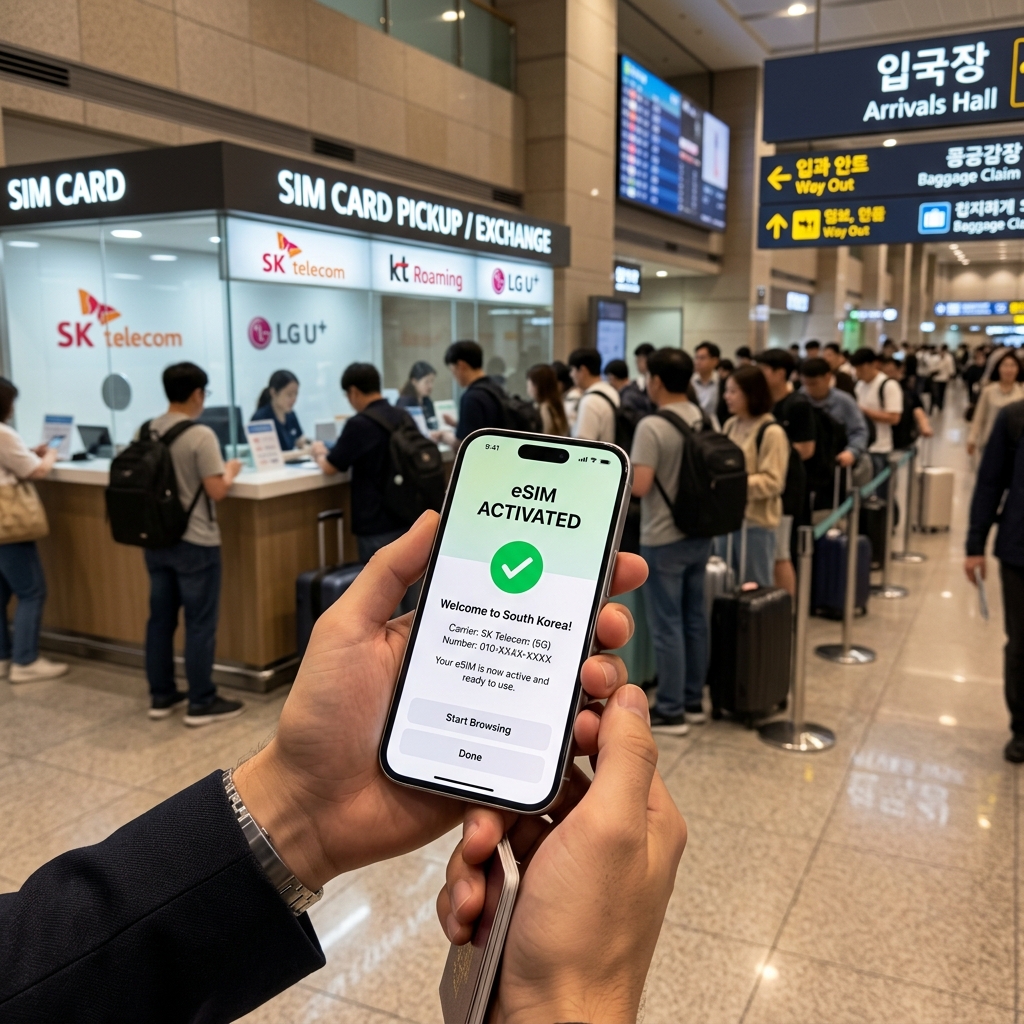
"Securing a reliable mobile internet link is an immediate operational requirement when landing at Incheon International Airport. South Korea features highly optimized cellular networks managed by three major local operators: SK Telecom, KT, and LG U+. Review our network speed test: KT vs SKT vs LGU+ Network Speed Test. While digital eSIM profiles offer unprecedented deployment convenience, first-time international visitors frequently commit a critical setup error that completely blocks network access and wastes travel capital."
Mobile Network Architectures in South Korea
Securing a reliable mobile internet link is an immediate operational requirement when landing at Incheon International Airport. South Korea features highly optimized cellular networks managed by three major local operators: SK Telecom, KT, and LG U+. Review our network speed test: KT vs SKT vs LGU+ Network Speed Test. While digital eSIM profiles offer unprecedented deployment convenience, first-time international visitors frequently commit a critical setup error that completely blocks network access and wastes travel capital.
Understanding the technical prerequisites of over-the-air digital profiles prevents hardware configuration failures and avoids premium connectivity charges at the arrivals hall windows. Check our honest comparison: eSIM vs Airport SIM Card to secure the most practical option.
The Critical Carrier Lock Verification Error
The most expensive mistake made by international travelers occurs long before their flight touches down on the runway.
The Automated Hardware Rejection Mechanism
A digital travel eSIM is a software-token identity profile downloaded onto your smartphone's embedded chip. If your smartphone hardware retains a network lock restriction enforced by your primary carrier in your home country, your device's internal mainboard will systematically reject any foreign cellular profiles.
Wasted Upfront Capital Packages
Many tourists purchase data packages online assuming their modern devices are automatically compatible. Standard digital profiles typically cost around 10,000 KRW to 30,000 KRW (approx. $7.40 to $22.20) depending on data ceilings. If you attempt to scan the QR profile voucher onto a carrier-locked smartphone, the device interface will return an immediate system initialization error. Because the digital license token is generated instantly upon purchase, refund frameworks are heavily restricted once the barcode is deployed, leading to total capital loss.
Procedural Setup Flaws inside the Arrival Terminals
Beyond the carrier lock restriction, secondary operational mistakes during the physical activation process can permanently damage your cellular connection license.
The Unauthorized Profile Deletion Trap
When international visitors experience a minor network drop or a brief processing lag upon landing, a frequent mistake is manually deleting the digital travel profile from their iOS or Android cellular settings menu. Deleting the profile permanently erases the unique software license key from your device. Once deleted, the profile cannot be re-scanned or re-downloaded, forcing the traveler to purchase an entirely new package to go online.
Bypassing Active Internet Requirements for Installation
Initializing a digital travel data line requires your device to maintain an active data connection to communicate with remote telecommunications routing servers. Attempting to activate the profile inside an aircraft cabin without Wi-Fi triggers immediate verification failures. Travelers must connect to a stable network—such as the free public Wi-Fi network inside the airport terminal—and wait 2 to 3 minutes for the profile register sequence to clear the configuration loops.
Maximizing Cost Efficiency via Central Accommodation Nodes
Your physical lodging location directly dictates your overall daily reliance on mobile data navigation routing tracking tools.
Limiting High-Frequency Map Tracking Overhead
By anchoring your hotel base camp immediately adjacent to central transportation nodes like Myeongdong Station or Hongik University Station, you naturally simplify your daily transit loops, avoiding 1-hour commuting delays to major historical hubs. Being positioned in highly walkable retail districts allows you to navigate major sightseeing grids on foot, reducing the constant battery and data drainage caused by running map tracking applications continuously across multi-line subway transfers. Compare our recommended Myeongdong hotels for excellent transit convenience.
Confirming On-Site Wi-Fi System Specs
While standard corporate hotels provide high-speed wireless networks seamlessly, smaller boutique guesthouses or independent vacation rentals can feature limited bandwidth caps. Verifying your property's specific connectivity rules online before check-in guarantees you have sufficient backup internet tools to handle work or streaming without consuming your mobile data caps prematurely.
Frequently Asked Questions (FAQ)
Q1: How do I verify if my iPhone is carrier-unlocked before traveling to Korea?
Navigate directly to Settings > General > About. Scroll down to locate the field labeled "Carrier Lock". If the interface displays the explicit message "No SIM restrictions", your device hardware is fully unlocked and ready to initialize a local Korean digital profile.
Q2: Can I receive emergency banking SMS text verification codes on a data-only eSIM?
Yes, provided you keep your home country's primary physical SIM card or primary eSIM line turned on in your cellular settings. Set your local Korean digital profile explicitly as the primary path for "Cellular Data", while leaving your home line active solely to process incoming text data.
Q3: What should I do if my digital profile displays an extended "Activating" loop?
This processing delay routinely occurs if you attempt to turn on the local line before your device is within geographical range of local telecommunications towers. If the loop persists after clearing immigration, toggle your device's Airplane Mode switch on for ten seconds and turn it off to refresh the tower connection.
Q4: Do data-only travel eSIM profiles provide a local Korean phone number?
Standard cost-effective digital profiles are configured explicitly for data-only web traffic and do not include an active voice number asset. If you require a local number to register for specialized food delivery applications, you must purchase a hybrid voice-and-data profile tier.
Q5: Is it safe to install the digital profile over my home Wi-Fi before departure?
Yes. Performing the initial setup over your home wireless network one day prior to departure is a highly practical step. The device software will download the profile parameters securely and keep the line in a dormant state until you land and select it as your active data path.
Bypass the long airport lines and secure your internet connection instantly. Access verified discount rates for top-rated central hotels and mobile eSIM vouchers in the comment section below.
Book discount hotel rooms and access live eSIM packages in the Comment Section below (Official Partner Integration)


Comments
Post a Comment